Author Archive

6 Japan music charts to check out latest hit pop

Japan music chart

One way check out the latest hot musics in Japanese music industry is by looking at their music charts. When speaking about Japanese music charts, the first thing that comes to mind will definitely is the Oricon. But there is more other charts that worth checking out too that I introduce in this post.

Oricon Style

I visit Oricon Style regularly. The ranking is based on the sales of the singles/album. Sorted by daily, weekly, and monthly, Oricon itself is already sufficient to check out the latest hit music. English version can be found at ThePPN.

Oricon Style

Japan Billboard Hot 100

A Japanese music chart based on Billboard style calculation.

Japan Billboard Hot 100

Yahoo! Music Ranking

Another impressive music charts brought to you by Yahoo!.
Yahoo! Music Ranking

Recochoku Chaku Uta Ranking

A chart site dedicated to hand phone music tone (Chaku Uta). Normally the upcoming release songs will be first release as Chaku Uta. It is quite an important chart to look out because Japanese people used to download songs through hand phone.

Recochoku Chaku Uta Ranking

Mora music download ranking

A chart based on music downloads.

Mora music download ranking

Music Station Power Ranking

Finally, another worth checking chart is Music Station Power Ranking.

Music Station Power Ranking

End note
Because this post is all about Japanese music so all the sites are in Japanese language. Sorry if any inconvenience caused.

Japan Golden Week

Japan Golden Week

In Japan, there are a series of holidays from late April to early May which they call it as “Golden Week”. During Golden Week, many companies are closing to let their employees to have a long nice rest and many Japanese people are going off for long vacation. So during this period of time, leisure-based industries will be very busy and all flights and hotel rooms will be fully booked!

The Golden Week kicks off in April 30th which is Greenery Day until the 5th of May where the Japanese celebrates Children’s Day. A specific Golden Week holidays are listed below, cited from Wikipedia:

Golden Week

April 29

  • Emperor’s Birthday (天皇誕生日, Emperor’s Birthday), until 1988
  • Greenery Day, or Nature Day (みどりの日, Midori no hi), from 1989 until 2006
  • Shōwa Day (昭和の日, Shōwa no hi), from 2007

May 3

  • Constitution Memorial Day (憲法記念日, Kenpō kinenbi)

May 4

  • holiday† (国民の休日, Kokumin no kyūjitsu), from 1985 until 2006
  • Greenery Day, or Nature Day (みどりの日, Midori no hi) (from 2007)

May 5

  • Children’s Day (こどもの日, Kodomo no hi), also customarily known as Boys’ Day (端午の節句, Tango no sekku).

Many Japanese take paid time off on the intervening work days, but some companies also close down completely and give their employees time off. Golden week is the longest vacation period of the year for many Japanese jobs. According to P. Sean Bramble, the author of CultureShock! Japan:

The Golden Week is always gorgeous: warm sunshine and without any oppressive humidity. Many people if they take a vacation at all, will take it as this time, with the result being that public transport is clogged with vacationers and air ticket prices increase dramatically.

So, I think if want to travel to Japan, it is better to avoid this period of time because the streets of Japan is flooded with vacationers and no more hotel rooms available! To know how is 2008’s Golden Week and 2009’s Golden Week locate in the calendar, you can visit the Japan Guide’s article on Golden Week.

Finally, Happy Golden Week to all Japanese people out there!

Creating dotted tunnel in Illustrator

Create dotted tunnel in Illustrator

I remember that I first saw the dotted tunnel in one picture posted in Fubiz which sparks my idea on creating this tutorial. The graphic effect is kind of cool so I decided to try replicate the look and found out that it’s simple to do. The main tools used for this tutorial will be Pen Tool, Transform Tool and Blend Tool.

Making dotted pattern brush

At first we need to create the dotted line to make it a Pattern Brush show in step 1 below. The step by step creation can be seen here. After creating, select the pattern and drag it into the Brushes palette. A New Brush window prompted. Select “New Pattern Brush” and click OK. Then, you can name the brush or leave it as it is. The most important thing is change Colorization method to Tint. With this, you can change the color of the pattern. Click OK to finish.

Step 1

Dotted Tunnel – Scaling method

The new Pattern Brush should appears in the Brush palette. Now, select the Ellipse Tool and press Shift to create a perfect circle. Select the stroke of the circle and apply the dotted brush stroke that we created just now to it. Change the stroke size to adjust the size of the dot.

There is two method to create the dotted tunnel. The first is by using the Scale transform tool. Select the circle, now go to Object > Transform > Scale… to open up the Scale window. Key in the amount of uniform scale for example 110% like picture below, and then click Copy. Hit Ctrl+D to duplicate more and more copies until it forms a tunnel.

Step 2

By using this method, you can achieve two kinds of dotted tunnel shown in picture below. On the left is with “Scale Strokes and Effects” option enabled at the Scale window while on the right is not.

Step 3

Dotted Tunnel – Blending method

The scaling method is easier however it does not gives us flexibility on editing it because it’s pretty much fixed. The second method which is using Blending tool allows us to create more creative types of tunnel and editing flexibility.

Create one dotted stroke circle and duplicate it to a larger one. Then select both of them and go to Object > Blend > Make. Then, in the same path we open up the Blending Options window to modify the blend mode. I’m using Specified Distance. Woot, a simple dotted tunnel was formed.

Step 4

We can achieve different kinds of dotted tunnel by making some changes. First, we can modify the stroke by using the Stroke Options found in Brush palette. Here I scale the stroke size to 300% and notice how the blending change. We can also change the color of the tunnel too, because we make the stroke available for Colorization.

Next, we can also achieve 3D-ish dotted tunnel by changing the circle position. Look cool isn’t it? Besides that, we can expand the appearance of the blending the delete some part of the dots to make other interesting graphics like fan shown in picture below.

Step 5

So this is the end of the tutorial. It’s a very basic and simple tutorial, I hope you can learn something from this. Thank you very much.

How to take full webpage screenshot?

There are tonnes of great website designs on the web out there. Sometimes, web users wanted to take screenshot of the website either for future reference or as collection. The easiest method to use is by hitting the Print Screen and Paste it in MS Paint. But what if we want a full page screenshot?

Last time, when I want a full site screenshot, I do print screen page by page and then join it back in Photoshop. Clever. But the tools below make me look so stupid.

Firefox Add-on: Screengrab!

Screengrab! saves the entire webpages as images. Once installed, the Screengrab! icon appears at the bottom bar of Firefox browser. You can either choose to save or copy to clipboard. Output formar is in PNG. Best use for quick screen grabbing and saving. However it cannot take screenshots of flash content sites thou.

Screengrab! Firefox extension

Firefox Add-on: FireShot

FireShot is a Firefox extension that creates and edits screenshots of web pages. Unlike other extensions, this plugin provides a set of editing and annotation tools, which let users quickly modify captures and insert text and graphical annotations. Such functionality will be especially useful for web designers, testers and content reviewers.

The Fireshot button appears at the right side of search bar. And like Screengrab!, it can’t capture flash contents. Although I use Screengrab! more often, but I found that FireShot is more useful.

FireShot Firefox extension

Web: Super Screenshot

Superscreenshot is a website that let you enter a URL, and will give you the website screenshots in return. The URL entered can be save as full page with full original size either in JPG (compressed) or png (best quality, but takes some time to load). Again, it can’t capture flash content sites. Plus the screenshot width is narrow, about 900 pixels only. This means that content that wider than 900px will be cropped.

There is alternative site which is Browser Shots, but normally people use it to test how the site looks in different browsers.

Super Screenshot

Application: WebShot

WebShot allows you to take screenshots of web pages and save them as full sized images or thumbnails. Screenshots images can be output in the JPG, GIF, PNG, or BMP formats. The application is very flexible, you can set the width for the screenshot, and if you did not set the height, it will capture a whole page.

And the best part is it successfully captured flash content sites. But, flash sites normally takes more time to load, so to capture flash sites, I suggests to set the Timeouts for document for more than 30 seconds, depends on how fast your line is. It is free to use too.

WebShot

End Note
Above are the 4 methods to take full web screenshots faster and smarter. If you have other methods, feel free to tell me by using the comment form below.

Small changes, big difference

Bank Islam logo

Sometimes a small little changes can make a lot difference. Today I want to talk about the small design change of one of Malaysia bank call Bank Islam. Established in 1983, Bank Islam primarily to assist the financial needs of the country’s Muslims and to further extend its services to the whole population at large. Not long ago, they revealed their whole new corporate identity to this maroon and gray color scheme with a more globalise kind of logo design. But when I saw the logo, I feel not right about the logo.

Please look at the picture shown above. Originally the logo design was presented like the one on the left. Can you see something was not quite right in that logo? Well, from the logo rationale I read from the Bank Islam site it says that

The Bank Islam logo incorporates a “crescent” embracing the word “Islam”.

So in the initial design, the crescent which is in maroon color was incorporated into the character “K” of Bank. But when the “K” was being modified as part of the crescent graphic until it does not look like a readable “K” anymore, will you think that it looks and sounds like BANK ISLAM rather than BANK ISLAM?

That’s really causing a big confusion there (at least for me). However, about a month back when I walking to work where I will pass Bank Islam, immediately I spotted a little changes on the logo. Now it looks the one on the right. The crescent has become a graphic on its own and the “K” become the regular “K” and having the same color as other character. It must be some people having same opinion as me and propose for design amendment. The new version looks and sounds far better than the previous design, and it won’t cause confusion to viewers too.

Conclusion

Designers loves to play with typography when comes to logo design. But, we still need to take into consideration on the logo clarity and whether it will cause confusion to the viewers or not. In the end, kudos to the design team that made necessary changes. Small changes, big difference.

Jpop newcomers I enjoy listening in 1st quarter 2008

In Japanese music industry there is a lot of talents coming out each year. Through several sources, I came across a few J-pop talented newcomers that sings really well and produce great music. My definition of newcomers is artists that debuted no more than 1 year. Below is the 6 new artists or units that I enjoying listening from January to March 08.


1. Alan – Ashita e no Sanka, 2. Skelt 8 Bambino – My Friends, 3. Ragdoll – Monochrome Eyes, 4. Aoyama Thelma – Last Letter, 5. Saori@Destiny – Sakura, 6. Shimizu Shota – Home

Alan

Alan - Jpop newcomers I enjoy listening in 1st quarter 2008

Alan (阿蘭 or 阿兰) is a Tibetan/Chinese singer and Erhu player from Sichuan province who debuted in 2005 with the album Sheng Sheng Zui Ru Lan. Then she was scouted by Avex Japan and made her Japanese language debut in 2007 with the single “Ashita e no Sanka”.

I only notice Alan when she released second single “Hitotsu”. I immediately attracted by her great voice when listening to this single. After that, I searched and listened her debut single “Ashite e no Sanka” which I think it’s one of the most unique song I ever heard this year. It’s not your average J-pop tune, because it was blended with Chinese music instruments together with singing style of Alan. Not to mention that she is beautiful too.

She has a grand wish that she hope World peace, and building a happiness bridge among Asian countries through her songs. Plus, there is a great review about Alan’s debut at Channel Ai blog.

Skelt 8 Bambino

Skelt 8 Bambino - Jpop newcomers I enjoy listening in 1st quarter 2008

Skelt 8 Bambino consists of 5 members. Each of them has their own group activities but because of having the same interest, they group together in Spring 2006. S8B major debuted in 2008 under Nayutawave Records.

I know them through their second single “My Friends” which is a catchy Rap song. I really love this song just after second of listening to the song. It’s a song of friendship, no matter we are getting together or apart, we are still friends that kind of feeling. Great for graduation song.

Ragdoll

Ragdoll - Jpop newcomers I enjoy listening in 1st quarter 2008

Ragdoll is a dance music unit consists of two member, Yummi (vocal, dance, lyricist) and Tatsugoo (Keyboard, DJ, Composer and Art Direction). Sounds like they are doing all the music and production jobs! Ragdoll released two mini album back in the end of year 2007, but I only discovered them this year.

The first song got me hooked to them is “Cycletime” in their second mini album. Since then, their dance music had been poisoned me for quite a long time. However my top favorite song from Ragdoll is “monochrome eyes”, i like it a lot. Many people thinks that the female vocalist Yuumi’s voice was like the early days of Ayumi’s voice, but I don’t think that way. Check out their Myspace page to listen more of their songs.

Aoyama Thelma

Aoyama Thelma - Jpop newcomers I enjoy listening in 1st quarter 2008

If I say Aoyama Thelma is the hottest newcomer in 1st quarter of 2008, I think everyone will agree to me? Indeed because not only releasing her fist album “DIARY” and chart topping single “Soba ni iru ne”, she also featured in some other artists music as well.

Aoyama Thelma (青山テルマ) is a Japanese R&B artist who debuted in September 2007. She is one quarter Trinidadian. She is famous for her collaboration song with SoulJa: Koko ni Iru yo and her answer song, Soba ni Iru ne (which reached #1 on Oricon charts in its second week, and stayed in top 10 for 12 weeks).

Saori@destiny

Saori@destiny - Jpop newcomers I enjoy listening in 1st quarter 2008

Saori@Destiny major debuted in March 26, 2008 with single “Sakura”, although she released a single back in December 2007. Saori@destiny is a Japanese technopop artist produced by Oonishi Terukado. She is part of D-topia Entertainment. From her official site, it says that Technopop x Candy Girl House = Saori@Destiny.

I’m absolutely digging sweet candy electro pop style musics like Perfume, COLTEMONIKHA, Capsule type of musics. So, Saori@destiny’s music well fitted into my music taste.

Shimizu Shota

Snimizu Shota - Jpop newcomers I enjoy listening in 1st quarter 2008

Shimizu Shota (清水翔太; Born February 27, 1989) is an ex-SUGER member and current solor singer/songwriter, known for his collaborations with Dohzi-T, and 加藤ミリヤ on the Celine Dion tribute album. He made his solo debut on February 20th 2008 with the single “HOME.”

Despite his young age, he sings really well. He will put full emotion when performing a song which I like it very much. His music leaning towards R&B style and artists that he respect is Danny Hathaway, Marvin Gaye and Ray Charles.

End note
Well, these are the six J-pop new artists that I enjoy listening to their music. Try listen to their music through the music player embeded above. Hope you like the songs too. And do you have any new artists that I missed out?

Credits: Theppn | Wikipedia

Links of interest #1

Internet is interesting. Everyday we stumbled upon different websites, articles and stuff that caught our eyes. This “Links of Interest” series is a collection of website bookmarks that I found interesting and useful, and would like to share with you. Websites ranging from web designs, inspiration, resources and many others.

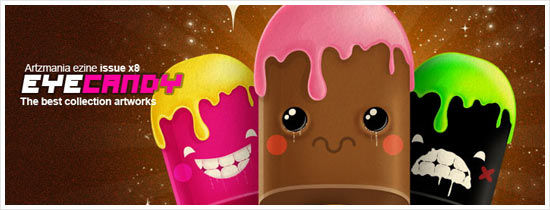
Artzmania Vol.8 Eye Candy

Download the latest Artzmania e-zine issue. My friend’s work was featured in this issue too. Congratulations to him!
Artzmania Vol.8 Eye Candy

We Love WP

Website gallery showcasing the quality website design that powered by WordPress. My blog design was featured in here too! Thanks. 😀
We Love WP

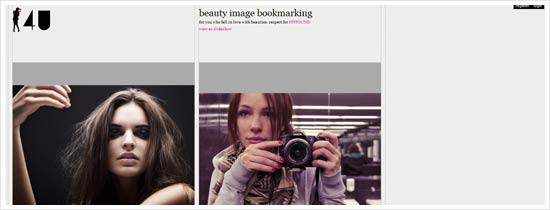
4U – beauty image bookmarking

4U is social image bookmark service for everyone to share a beautiful woman image all over the world.
4U - beauty image bookmarking

Newspond

Newspond is the ultimate hub for the latest tech, science, and gaming news. Sleek graphic interface. Design by Chan Karunamuni.
Newspond

SPACEINVADERS WORLDWAR

On-line Nation Vs. Nation PC game [SPACE INVADERS WORLD WAR]. Beta version expected to be available on mid April!
SPACEINVADERS WW

Super Mario in 14kB Javascript

Classic Super Mario game now playable using Javascript and it is just need 14kB to do it.

Block Posters

Create any size wall posters from any size images. Totally Free To Use!

The Rasterbator

The Rasterbator creates huge, rasterized images from any picture. Upload an image, print the resulting multi-page pdf file and assemble the pages into extremely cool looking poster up to 20 meters in size.

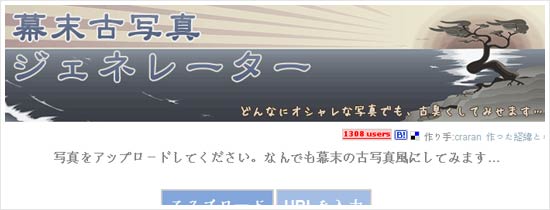
幕末古写真ジェネレーター (old photo generator)

Turn your photo into Japanese ancient photo effect with this generator.
old photo generator

Should Redesign? Cast your vote now!

Launched in April 2008, a Suffolk Software project, Should Redesign aims to help webmaster determine if their websites need a refresh.
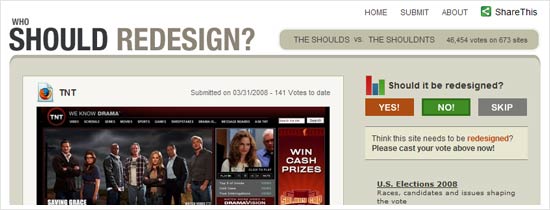
Should redesign?

Adobe TV

Adobe TV is your online source for expert insight and inspiration. feed your passion for Adobe products with insider tips, innovative techniques, and behind-the-scenes tours delivered on video, on demand.
Adobe TV

Learn HTML and CSS

People often think it is extremely difficult to make a website. That is not the case! Everyone can learn how to make a website. Use our tutorials on HTML and CSS and start building your own website in about an hour.

Design Resources Search Engine

The custom search engine that brings you to the best design resources on the web.

The Art of The Title Sequence

Sometimes I am more anticipated to one movie’s title sequence than the actual movie. This site collects and showcase the great title sequence of movies and drama series that will make you watch twice.

amaztype

Amaztype using Amazon web services. Basically you just enter any typographic book related word (for example “typography” above) and it will shows up the results in the form of words you search just now.
amaztype

Change The Thought

Founded in 2002, the owner Christopher Cox turn the initial portfolio site to a resource for the global creative community. The site has since continued to grow adding editors and content at an accelerated rate.
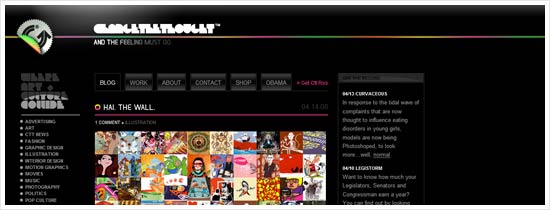
Change the Thought

Signal Noise | The art of James White

James White works are colorful, complex and geometrical. A very unique style indeed. Like it.
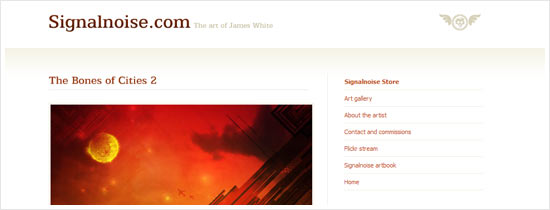
Signal Noise

ISO50 – The Visual Work of Scott Hansen

An inspiring blog and ranges of works by Scott Hansen. Scott’s works has vintage feel.
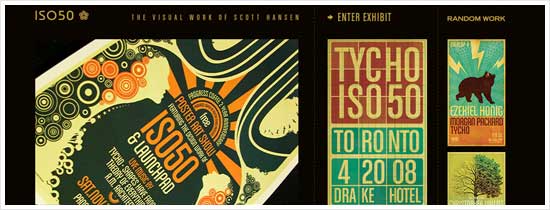
ISO50

Abduzeedo

It is very impressive seeing how this site grows. This blog was created and developed by Fabio Sasso, with a group of writers. This site has inspired me in many ways.
Abduzeedo

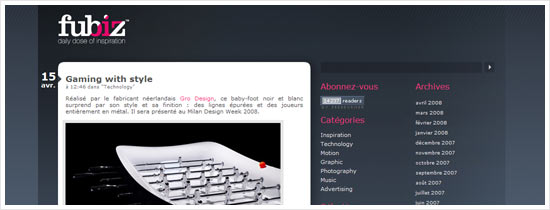
Fubiz

Your daily dose of Inspiration.
Fubiz

Free Flash Files at Flasheezy

Stupid Name. Cool Flash! Your one stop shop to download free flash files and tutorials.
Flasheezy

完璧画像検索 (Perfect Image Search)

Basically this search engine helps you search image from many big image search engines like Yahoo! image search, Flicker etc simultaneously. Perfect.

Art With Baggage in Tow

Takashi Murakami at the Brooklyn Museum. Takashi Murakami is one of my favorite Japanese illustrator. His work is cute and vibrant. Best known for making LV handbags colorful.
Art With Baggage in Tow

Photoshop Disasters

Have you seen a truly awful piece of Photoshop work? Clumsy manipulation, senseless comping, lazy cloning and thoughtless retouching are our bread and butter. And yes, deep down, we love Photoshop.

Photoshop Disasters

Sanna Annukka

Although I did not listen to Keane’s music, but the cover design deeply attracted me when I first saw on newspapers. Then, through several sources like internet and magazines, I knew who is the designer behind the cover.
Sanna Annukka

Grooveshark lite

Listen to music online with this cool, user friendly web service.
Grooveshark lite

Aviary – Creation on the Fly

Aviary is a suite of web-based applications (RIAs) for people who create. From image editing to typography to music to 3D to video, we have a tool for artists of all genres. Just enter your email address if interested in the Early Bird Invitation.
Aviary

Create a simple, cross browser centered 3 column fixed width CSS layout

In web development, Cascading Style Sheets enable us to create the style and look of a web page. Today, I am going to show you a simple way to create a 3 column centered fixed width by using CSS that works in major browsers.
I use Dreamweaver CS3 as my main tool to create web layouts, but text editor can also be use to create layout too. Below is the screenshot of the 3 column layout and the demo html. Because it looks the same in many browsers tested, screenshot comparison is not provided.

Simple cross browser 3 column fixed width CSS layout

  • View demo (right click “Save Link As” to save)

The Basic Code

I use more codes because i need to separate the columns with background colors and specify the height, but basically the layout will work with the codes below:

CSS

body {margin: 0; padding: 0; text-align: center;}
     #container {width: 900px; margin: 0 auto;}
     #header {height: 100px;}
     #left {float: left; width: 200px;}
     #center {float: left; width: 500px;}
     #right {float: right; width: 200px;}
     #footer {clear: both; height: 50px;}

HTML

<div id="container">
     <div id="header"></div>
     <div id="left"></div>
     <div id="center"></div>
     <div id="right"></div>
     <div id="footer"></div>
</div>

Browsers Tested

I tested the layout and it works in browsers below. I am using Windows XP. Plus, I use IETester to enable me to test IE in multiple versions in a PC.

  • Firefox 2.0.0.13
  • Safari 3.1
  • Opera 9.27
  • Internet Explorer 7
  • Internet Explorer 6

So here is it, a simple solution to a 3 column centered fixed width layout. There is much more solutions than this (fixed and fluid), which was highlighted in Noupe’s 9 Timeless 3 Column Layout Techniques.

Free font: COM4T Nuvu Regular

Free font: COM4T Nuvu Regular

COM4T (Font Factory Field) had released a quality free font call COM4T Nuvu Regular. This stylish font is complete with alphabetical and numerical characters as well as some common punctuation marks. This font is actually designed 20 years ago but the typeface designer 片山英樹 (Hideki Katayama) decided to review and improved it and make it available. Feel free to visit the font page or download the font here for Windows or Mac.

COM4T (pronounce as “Comfort”) was an abbreviation of Communication by Four Typeface. Why 4? This is because Japanese typography consists of Hiragana, Katakana, Kanji and Romaji. By taking a look at the Free Font category, the owner of COM4T, Mr. Hideki Katayama, had designed some really nice looking free for download typefaces. One of his typeface COM4T Fine Regular was featured by SmashingMagazine.

Free font: COM4T Nuvu Regular

Speaking about SmashingMagazine, the site also posted new article about Free Fonts Of The Month: GrauBlau, Nevis today. If you are interested in Japanese and other free typefaces, feel free to browse through typography category.

We all love free fonts!

Experience of creating WordPress theme

Experience of creating WordPress theme

Creating a new WordPress theme for my own site is one of my target this year. If you been this website before maybe you know that previously I’m using free WordPress theme especially the beautiful Illacrimo theme. I like this free theme a lot and been using for quite a long time. However, I decided to take a step further to design a new theme for my own blog.

Develop a WordPress theme is not hard, but it’s not easy job too. Luckily there is a lot of resources out there especially the WordPress Documentation and Noupe’s Powerful Guide to master your WordPress that provide useful guidance to help developing a theme. But before comes to the coding, I sketched my idea on paper and design the layout with Photoshop. Continue reading