Archive for September, 2007

TOKIO – Honjitsu, Mijukumono

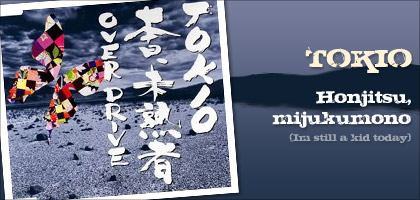
Today I want to share a nice song from TOKIO with their latest single release “Honjitsu, mijukumono (本日、未熟者)”. This song is written by Nakajima Miyuki who last time wrote a song for them too which is “Sorafune”. This song was release in mid August and it was the theme song for a very nice drama “Juken no Kamisama” which acted by one of the TOKIO’s member.

In this song, the lyric is challenging and the melody is strong, but very suitable to the TOKIO lead singer Tomoya Nagase because of his great voice. The song is really nice because he put his soul in performing it and this song is actually pretty high pitch! I always amazed at Tomoya’s ability to sing in high tone yet maintaining the great control. He is one rare great singer in Johnny’s Entertainment!

As mentioned earlier, this song is the theme song for just ended j-drama “Juken no Kamisama” which means exam god. The drama is about primary students study hard to pass the exam and enroll to their dream school. Actually it is pretty sad to see in such a young age, and they already have so many pressures to handle, maybe because of their education system. This situation was portrayed clearly in the drama. The theme song “Honjitsu, Mijukumono” which means I’m still a kid today or Today, I’m the amateur, and really match the drama’s story.

On the other hand, it is also good to see that, they are mature enough to think about their future and fight for it. So, let’s work hard together for a better tomorrow and be cheerful :D. Listen to the song below as well as the lyric (with romaji) and translation!

Continue reading

Create a simple scrollable content with CSS

Lorem ipsum dolor sit amet, consectetuer adipiscing elit. Phasellus a turpis. Donec accumsan tellus eget velit. Maecenas eget risus. Praesent quis nisl. Sed in odio non orci varius pretium. Nam convallis tincidunt nulla. Quisque malesuada massa eu elit. Aliquam ac diam vitae neque fermentum pulvinar. Morbi eget mauris eget justo convallis fermentum. Fusce hendrerit. Donec nonummy nulla sed purus. Proin ut quam vitae quam semper rutrum. Vivamus fermentum urna dictum felis. Etiam at ante. Cras vel dui. Sed porta, ipsum eget auctor congue, justo nunc viverra dolor, vel molestie metus diam sed elit. Nulla facilisi. Quisque euismod, lectus non tristique gravida, lectus pede aliquet massa, non rhoncus elit tortor vitae dolor.

Curabitur varius ipsum ac ante. Integer at felis. Nam ac leo sollicitudin velit faucibus fringilla. Praesent lacinia ipsum quis sem. Proin fringilla lacinia ipsum. Etiam imperdiet pede nec massa. Nulla interdum, nulla non sollicitudin volutpat, diam turpis tempor libero, quis egestas nunc orci ac sem. Mauris nisl nibh, condimentum ut, aliquet in, tincidunt vitae, leo. Fusce consequat, lectus eu sagittis bibendum, lectus odio aliquam nisi, in aliquet erat ligula nec nibh. Proin tincidunt. Aenean pretium blandit neque. Etiam libero nibh, molestie eget, sodales id, placerat sed, turpis. Proin ligula velit, ultricies id, hendrerit et, molestie ut, sapien. Nunc facilisis.

Basically, the scrollable content above is just done by using CSS and not iframe. This can be achieve by setting up a specific width and height of a div tag, and putting a lot of text inside the div. Finally, we add the overflow property to allow the scrollbar appears. The specific CSS styles is shown below.

.scrollable
{
height: value px; /* set the height */
width: value px; /* set the width */
overflow:auto; /* make the scrollbar appears */
}

That’s it! The basic property to make a scrollable content. It works on Firefox and IE6 browser. You can add other styling as well if you want, for example border or background properties. Some advance styling will be putting a fade off effect on top and bottom of the content area.

This scrollable content CSS is particular useful if you want to display data like Latest News for example, and wanted to control the height of the content. Plus, it is better than using this method than iframe is that, all the contents will be in the same page and not load from other page (which iframe did this), so the SEO value is preserve.

16+ the ten list for web designers

As web designers I am always hunt for resources on the web, for example tutorials, gallery showcases, and thoughts from the experienced designers so that I can learn something from it. I subscribed to many designer’s blog feed and surf Del.icio.us regularly, and I found out some The Ten List from various websites to inspire and help many web designers.

What I mean about the ten list is that an article that contains ten essential points that presented in a list. I categorized them into several big categories for better navigation. Please have a look. Continue reading

Google celebrates 9th birthday

Today early in the morning, as usual I open up the Firefox browser and it loads Google homepage. I saw something different. Yes, it’s the logo! The small “g” transformed into a “9” indicates its 9th anniversary with sweets below. Happy Birthday Google! If you want to take a look on the previous anniversary logo iterations just check out google’s blog.

I always like the Google’s Holiday logos, a little iterations or add ons can really make my day 😀 and creativity can sparks from there. Just click on the link above to check out other nice holiday logos. Previously they also have a special Google logos to honor the author Roald Dahl who wrote the “Charlie and the Chocolate Factory”.

Continue reading

Upgraded to WordPress version 2.3

I just successfully upgraded my blog to the latest WordPress 2.3 version. The latest version is much intelligent and the most important thing is the Tagging System is implemented. If you don’t know how to add it into your theme, just go to this site and they have a good tutorial on how to do it. I also putting in the Tag Cloud too. Because my blog has around 100 posts, it is going to take some time to tag all of them, and I have to think of re-categorizing it.

During the upgrade, the process is smooth and all the plugins is supported except Similar Posts. It gives me error message but luckily someone has posted up the solution, and now my Similar Posts is working like a charm as usual 😀 . Try looking at the comment #159 or#161 for instruction.

And then I found my blog is getting messy. I’m thinking of changing to cleaner theme. But before that I should do the tagging job first! 🙂

Who has the best Gradient Tool – Photoshop, Illustrator or Flash?

Adobe Photoshop, Illustrator and Flash is the creative software I used most of the time, and they helped me to illustrate out many ideas. Gradient tool is the tool that I frequently used on them. Although they are from the same company (Flash originated from Macromedia anyway), each of their gradient tool is differently presented. So, in this post I want to compare them, which has better system and which one needs improvement. The “best” I mentioned here combines user friendliness, customization options and adjusting flexibility.

Actually this post is inspired by Bittbox’s “Illustrator Quick Tip: Faster Gradient-Color Adjustments” post. I have the same feeling as him, to be honest I also want to complain about the Illustrator’s gradient tool. But before that, please take a look on Photoshop’s Gradient Tool first. Continue reading

Having fun with Zoom Burst

No this is not Radial Blur effect from Photoshop filter. This is one of the creative photography technique called “zoom burst”. To achieve this effect, you need to adjust the zoom ring of your camera, while holding down the shutter button with shutter speed below than 1/60 sec. So to get a nice zoom burst photo, you need a steady hand, while I’m not :P.

According to Wikipedia, photographs taken with this technique are characterized by blurred streaks emenating from the center of the photograph. This effect is nearly identical to a motion blur image in which the camera is traveling towards the subject. For this reason the zoom burst is typically used to create an impression of motion towards the subject. Besides this effect is great for photo shoots that involves movement for example, sports games like cycling or car racing. Continue reading

Autumn J-drama preview!

Time passing so fast, the ever exciting summer season J-drama line up are going to end this month! I personally found that this summer season is packed with a lot of nice dramas, as I watch 7 of those. All of them are just nice but “Papa to musume no nanokakan” will be my first choice if you ask me which I enjoyed the most.

The next season drama will start on October. Tokyograph has posted a nice preview on the upcoming autumn season dramas, click here to take a look on the line ups and which stars is acting in. I can say the line up is huge and I spotted some nice dramas that I would like to watch.

The dramas are: Continue reading

Cute Japanese font for download

To be honest, Asian language fonts that is free are really hard to find, especially Japanese fonts. There are many Japanese fonts that can be type with English input but not the real actual Japanese input fonts. Plus, the system installed Japanese typefaces are so damn boring and too formal. But today I found a cute Japanese font free for download 😀 !

The font name is call “KFHimaji”. This font is multi-talented, because you can type alphabets, punctuation, Hiragana, Katakana and even Kanji and many more. The font example is shown below. The font was roundish, cute and happy. This is really one rare free font. So what are you waiting for? Just go to this page and download the cute font! [Direct Font Link] 😀

Continue reading

I love typography

I have great interests in typography subject since studying in graphic design course. It is amazing that by using a certain typefaces with the placement of the types can create incredible visual language even without the using of images. Typography is actually a very professional skills, because it is not just about selecting the right typefaces, but the layout, the size, the grid and many more.

According to Wikipedia, typography is the art and techniques of type design, modifying type glyphs, and arranging type. Type glyphs (characters) are created and modified using a variety of illustration techniques. The arrangement of type is the selection of typefaces, point size, line length, leading (line spacing) and letter spacing. Typography can be apply to anything, from displaying text as information to treating text as images. With the aid of digital fonts and design softwares, designers can play with the text freely. Continue reading