Archive for June, 2008

Amazing Japanese style web designs

Amazing Japanese style web designs

Japan is a country that has a very rich and unique styles in designs and culture that balance between usability and aesthetic, modern and traditional. I really like the traditional Japanese styles of designs, patterns, and colors which implemented into modern living lifestyle. Well, web design is no exceptions too.

Recently, i came across this great blog with the article about amazing Japanese style web designs which separated into part one and part two. Japanese style is pronounce as “wafuu (ๅ’Œ้ขจ)” in Japanese. Indeed the site designs are really amazing and in a very detailed design construction. Below are some of the design examples that listed on the two articles above. Be sure to click the links above to see more Japanese style web designs.

N705i | amadana product concept

Rinpa2008

Subtonic

Tadaya

4th of July Special Event – 2008 Elections at TemplateMonster!

4th of July Special Event - 2008 Elections at TemplateMonster!

Today I want to announce a special event. TemplateMonster.com is going to hold a 4th of July lottery with give-away to any participant. This promo will start on the 26th of June and the lottery will be held up until the 9th of July. And below are the details of TemplateMonster Lottery which reminds elections in its structure.

Two TemplateMonter’s website designs will be exposed for the elections which you can see both of them here. In order to take part in the lottery one should vote for one design or the other. The design which gets the most votes becomes the winner. Note the best design is chosen during two weeks period. What you should do is just fill in your name and email address, vote for your favorite candidate and press the VOTE! button! It’s just that simple.

And here are the benefits for users to take part in their lottery: Everyone who participates in the lottery gets the free Patriotic Icon Set. All icons included into this free Icon Set also relate to patriotic theme and 4th of July topic. Besides that everyone who participates in 4th of July lottery has a chance to get one of the special prizes.

The special prizes are:

  • 1 Gift Certificate giving the opportunity to get any product from Template Monster database for free;
  • Two 80% discount coupons for purchasing any product from Template Monster database;
  • Three 50% discount coupons for purchasing any product from Template Monster database.

So, basically this is the idea of the promotion. Sounds good isn’t it? Be sure to stop by the promotion page and vote for your favorite candidate and get free icons, plus stand a chance to win the lottery price. By the way, everyone who purchases any product from Template Monster during this promo will get the Icon Set that mentioned above for free too. In addition to that there will also be a 20% discount for the Patriotic Templates product category at Template Monster.


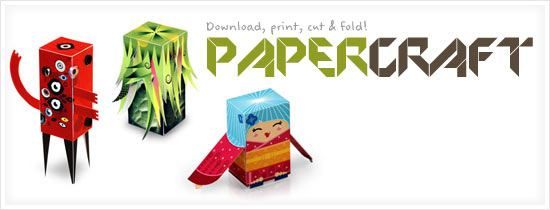
Download, print, cut & fold papercraft

Download, print, cut & fold papercraft

So suddenly you found out that your working space is a little boring and wanted to put some little cute miniature stuffs but without spending any money. Well, why don’t just making this do-it-yourself free papercraft?

There are several sites that offer free downloadable nicely designed paper models in PDF or picture format. You can print them out on a heavy paper or card stock, and cut out the model shapes and fold and lock/glue them to become a 3D model. It is really economic and fun to do too. Personally I haven’t try making any but I would like to try somewhere near future! Below are the sites.

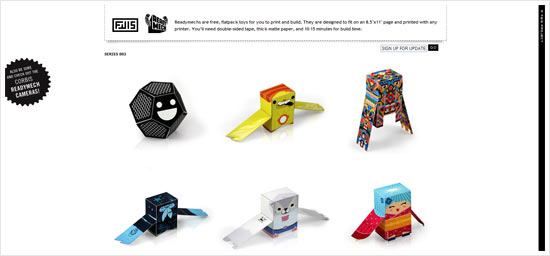
Fwis – Readymech Series 002

Readymechs are free, flatpack toys for you to print and build. They are designed to fit on an 8.5″x11″ page and printed with any printer. Youโ€™ll need double-sided tape, thick matte paper, and 10-15 minutes for build time.
Fwis - Readymech Series 002

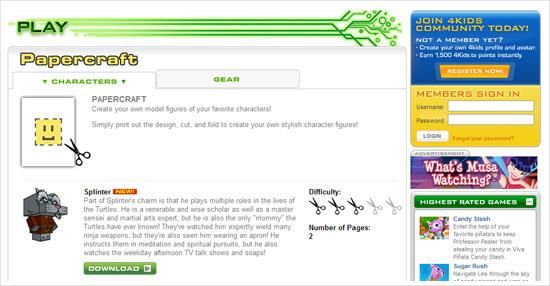
Papercraft – 4Kids TV

You can find papercrafts of cartoon and game characters like Sonic, Yugi oh, Ninja Turtle in this site.
Papercraft - 4Kids TV

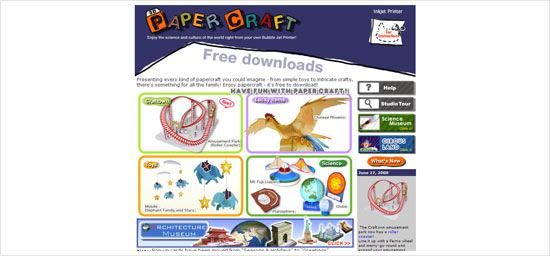
Canon 3D papercraft

Presenting every kind of papercraft you could imagine – from simple toys to intricate crafts, there’s something for all the family! Enjoy papercraft – it’s free to download!
Canon 3D papercraft

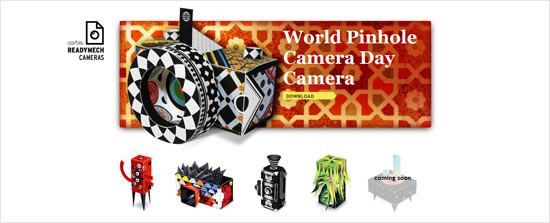
Corbis Readymech Cameras

Take a break from your computer! Download, print and build your own pinhole camera. Follow the instructions and enjoy!
Corbis Readymech Cameras

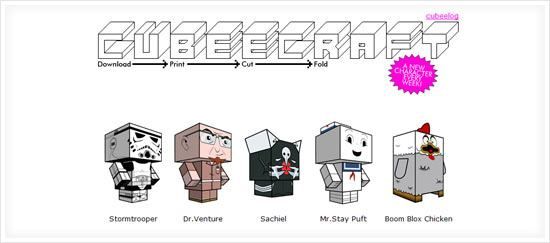
Cubecraft.com

Each toy features interlocking tabs for construction – eliminating the need for tape, glue or other messy adhesives. To download click on the model you would like then save the template image. Each toy is designed to be printed on a standard piece of 8 1/2 X 11 A4 letter paper.
Cubecraft.com

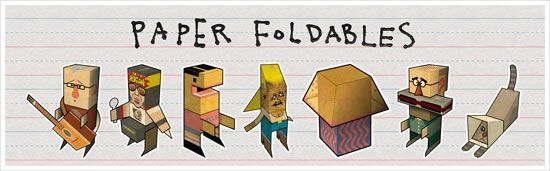
Paper Foldables

You can find really unique designs of papercraft models here!
Paper Foldables

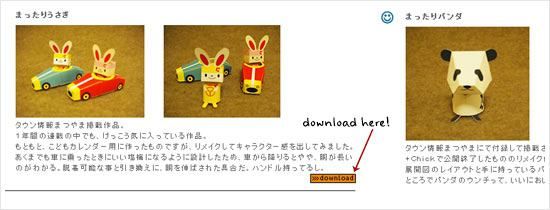
toylava download

This site offers really cute papercrafts like rabbit and panda. By the way, you can check out their other cute works at here.
toylava download

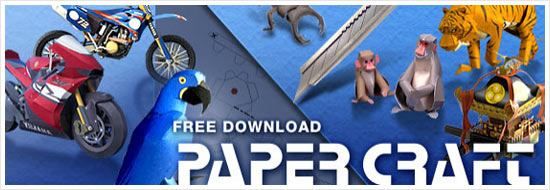
Paper Crafts from Yamaha Motor

Make your own paper models of motorcycles, rare animals and more.
Paper Crafts from Yamaha Motor

Extra
For more information and more links access to the world of papercraft, please visit this blog article about 100 Exeptional Free Paper Models and Toys and this dedicated papercraft world blog!


Button design PSD resource download

Button design PSD resource download

It’s free resource time! Well this is a button design resources with different styles and colors that created by myself. The button is make out of scalable shapes, so you can adjust or resize, it’s flexible and highly customizable. Feel free to download if you like it or find it useful.

You can download the PSD resource file at link below. The file is hosted at Box.net and best is to work on it with Photoshop version CS2 and above, but I think CS version should be fine too. Well the buttons work great with darker background. By the way, to use this as web button, you can refer to this great tutorial about Make fancy button using CSS sliding door effect.

download

The button design above are part of the sleek button designs at Useful Web Button PSD file. Please purchase it if you want to own one of them too. Check out my fresh GraphicRiver portfolio too ๐Ÿ˜€ .

Update: Have you downloaded Firefox 3 today?

Firefox Download Day

Finally it’s here. Today is Firefox 3 Download Day, I’m just downloaded and currently using it and it’s pretty good! ๐Ÿ˜€ I’m very impressed on the numbers of the downloads, it’s already at 2.7 million, just 8 hours after I received the email notification from Mozilla. Well if you have not download it yet, please do it now in order to be part of the creation of Guinness World Record of most downloaded software in 24 hours!

To make things even nicer, everyone who participated has the opportunity to own a “Thank You” certificate from Mozilla like below, as appreciation to help setting the world record. That was nice!

Certificate

Thank you dad! and Happy Father’s Day

Today is Father’s Day, so I take this opportunity to wish “Happy Father’s Day” and dedicate this song “Arigatou” by FLOW to my dad and every father in the world too ๐Ÿ˜€ . Arigatou means thank you in Japanese. I think the song’s Promotional Video is meaningful and touching, so I embed it along with this post. Hope you like it too.

THANKS father. Thank you from my heart, and this feeling will continue carry on, no matter what day. Happy Father’s Day.

FLOW – Arigatou

arigatou kokoro kara itsu no hi mo kanjiteru kono omoi woโ€ฆ

toki wo kasanete sukoshi de mo bokura ha otona ni nareta ka na?
tabihitasura ni jibun dake wo shinjite yatte kita kedo
ito mo tayasuku taisetsu an mono wo ushianeru mijukusa ni
iyaki ga sashite nasu jutsu nai mama tohou ni kurete ita

demo doushite hongurai yoru no
fuchi ni tatteru no ni konna ni atatakai no?
Aisubeki hito no tashika na hikari ga ima boku wo oshiageteku

arigatou kokoro kara
komi ageru kimochi wo koraekirezu ni
afureru namida no sono naka ni utsuru no ha kimi datta yo

tomaru koto naki toki no naka nokosareta wazuka na jikan wo
kyou no inochi wo bokura ha dore kurai taisetsu ni omoeru ka na?

tada koushite sugusu mainichi wo kazoekirenai hitotachi no sasae no naka de
ikite iru koto no shiawase kanjiru kara nanka honto ni ureshikute

eien ni hakanasa wo
nageku mae ni kittoyareru koto ga aru
โ€žimaโ€œ to iu shunkan wo
sakiokuri ni suru no ha yametanda yo

mou dou shiyou mo nai! tte omoi ga tooku ikiba wo ushinatte
hitori BERANDA ni tobidashita
futo miageta yozora no tsukiagari ga yasashii yo
itsumo mimotte kurete itanda ne

arigatou kokoro kara
komi ageru kimochi wo ima ari no mama ni
nagashita namida to sono egao wo mou nido to hanasanai yo

tsutaetainda kono omoi woโ€ฆ

FLOW – ใ‚ใ‚ŠใŒใจใ†

ใ‚ใ‚ŠใŒใจใ†ใ€€ๅฟƒใ‹ใ‚‰ใ€€ใ„ใคใฎๆ—ฅใ‚‚ใ€€ๆ„Ÿใ˜ใฆใ‚‹ใ€€ใ“ใฎๆƒณใ„ใ‚’โ€ฆ

ๆ™‚ใ‚’้‡ใญใฆใ€€ๅฐ‘ใ—ใงใ‚‚ใ€€ๅƒ•ใ‚‰ใฏๅคงไบบใซใชใ‚ŒใŸใ‹ใช๏ผŸ
ใŸใ ใฒใŸใ™ใ‚‰ใซใ€€่‡ชๅˆ†ใ ใ‘ใ‚’ใ€€ไฟกใ˜ใฆใ‚„ใฃใฆๆฅใŸใ‘ใฉ
ใ„ใจใ‚‚ๅฎนๆ˜“ใใ€€ๅคงๅˆ‡ใชใ‚‚ใฎใ‚’ๅคฑใˆใ‚‹ๆœช็†Ÿใ•ใซ
ๅซŒๆฐ—ใŒใ•ใ—ใฆใ€€ๆˆใ™่ก“ใฎใชใ„ใพใพใ€€้€”ๆ–นใซๆšฎใ‚Œใฆใ„ใŸ

ใงใ‚‚ใฉใ†ใ—ใฆใ€€ไป„ๆš—(ใปใฎใใ‚‰)ใ„ๅคœใฎใ€€ๆทต(ใตใก)ใซ็ซ‹ใฃใฆใ‚‹ใฎใซใ“ใ‚“ใชใซๆธฉใ‹ใ„ใฎ๏ผŸ
ๆ„›ใ™ในใไบบใฎใ€€็ขบใ‹ใชๅ…‰ใŒไปŠใ€€ๅƒ•ใ‚’ๆŠผใ—ไธŠใ’ใฆใ

ใ‚ใ‚ŠใŒใจใ†ใ€€ๅฟƒใ‹ใ‚‰
ใ“ใฟไธŠใ’ใ‚‹ๆฐ—ๆŒใกใ‚’ใ€€ใ“ใ‚‰ใˆใใ‚Œใšใซ
ๆบขใ‚Œใ‚‹ๆถ™ใฎใ€€ใใฎไธญใซๆ˜ ใ‚‹ใฎใฏใ€€ๅ›ใ ใฃใŸใ‚ˆ

ๆญขใพใ‚‹ไบ‹ใชใใ€€ๆ™‚ใฎไธญใ€€ๆฎ‹ใ•ใ‚ŒใŸใ€€ใ‚ใšใ‹ใชๆ™‚้–“ใ‚’
ไปŠๆ—ฅใฎๅ‘ฝใ‚’ใ€€ๅƒ•ใ‚‰ใฏใฉใ‚Œใใ‚‰ใ„ใ€€ๅคงๅˆ‡ใซๆ€ใˆใ‚‹ใ‹ใช๏ผŸ

ใŸใ ใ“ใ†ใ—ใฆใ€€้Žใ”ใ™ๆฏŽๆ—ฅใ‚’ใ€€ๆ•ฐใˆใใ‚Œใชใ„ไบบ้”ใฎๆ”ฏใˆใฎไธญใง
็”Ÿใใฆใ„ใ‚‹ไบ‹ใฎใ€€ๅนธใ›ๆ„Ÿใ˜ใ‚‹ใ‹ใ‚‰ใ€€ใชใ‚“ใ‹ๆœฌๅฝ“ใซๅฌ‰ใ—ใใฆ

ๆฐธ้ ใฎๅ„šใ•ใ‚’
ๅ˜†ใๅ‰ใซใใฃใจใ‚„ใ‚Œใ‚‹ไบ‹ใŒใ‚ใ‚‹
ใ€ŒไปŠใ€ใจใ„ใ†็žฌ้–“ใ‚’
ๅ…ˆ้€ใ‚Šใซใ™ใ‚‹ใฎใฏใ‚„ใ‚ใŸใ‚“ใ ใ‚ˆ

ใ‚‚ใ†ใฉใ†ใ—ใ‚ˆใ†ใ‚‚ใชใ„๏ผใฃใฆๆƒณใ„ใŒใ€€้ ใ่กŒใๅ ดใ‚’ๅคฑใฃใฆ
็‹ฌใ‚Šใƒ™ใƒฉใƒณใƒ€ใซ้ฃ›ใณๅ‡บใ—ใŸ
ใตใจ่ฆ‹ไธŠใ’ใŸๅคœ็ฉบใฎใ€€ๆœˆๆ˜Žใ‹ใ‚ŠใŒๅ„ชใ—ใ„ใ‚ˆ
ใ„ใคใ‚‚่ฆ‹ๅฎˆใฃใฆใใ‚Œใฆใ„ใŸใ‚“ใ ใญ

ใ‚ใ‚ŠใŒใจใ†ใ€€ๅฟƒใ‹ใ‚‰
ใ“ใฟไธŠใ’ใ‚‹ๆฐ—ๆŒใกใ‚’ใ€€ไปŠใ‚ใ‚Šใฎใพใพใซ
ๆตใ—ใŸๆถ™ใจใ€€ใใฎ็ฌ‘้ก”ใ‚’ใ€€ใ‚‚ใ†ไบŒๅบฆใจ้›ขใ•ใชใ„ใ‚ˆ

ไผใˆใŸใ„ใ‚“ใ ใ€€ใ“ใฎๆƒณใ„ใ‚’โ€ฆ

CSS Gallery Gallery

CSS Gallery Gallery

When I’m out of design ideas or have free time, I love to visit surf web showcase galleries to see some fresh web designs and get inspiration. But there are so many web galleries out there available and it is impossible to remember them all. Fortunately this website just solved the problem. Introducing Gallery Gallery, a summary list of popular web galleries gathered in one place. Currently listing 179 galleries, well I think that’s a lot!

Alternatively, there are some similar lists like Dia Chronie Web Design Gallery Links or The Great Web Design Gallery Round Up, but both of them are not as complete as Gallery Gallery. I think it is a very useful sites and should bookmark it for future reference.

Frequent visit web galleries

Among all those galleries, there are some web galleries that I often visiting:

Actually there are some more others too but above are the most frequently visit one. And what’s your favorite web gallery?

I search using del.icio.us too

I use del.icio.us to search too

When searching for information on the Internet, normally I will go to search engine sites like Google or Yahoo. However, I also use social bookmark site Del.icio.us as search engine alternative too. Well this is because Del.icio.us has the tagging system that make search result more precise and focused. By searching through Del.icio.us, you might discover many interesting sites that bookmarked by other users which maybe buried deep in Google search result.

I also want to suggest (especially Web Designer) that to use Del.icio.us to store bookmarks instead of in your web browser, because you can access to your bookmarks everywhere, and you can save as many as you want too. Plus, you can also check what website/blog article is hot on the popular list.

Bookmark Suggestions

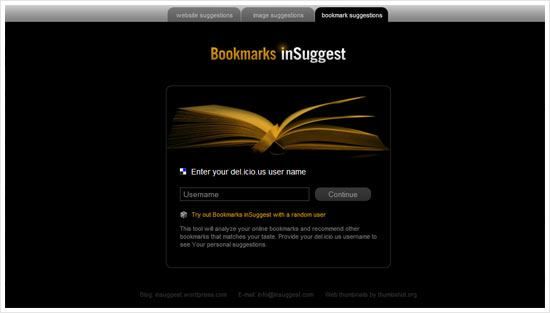
Today I stumbled upon an interesting site Bookmark Insuggest – This tool will analyze your online bookmarks and recommend other bookmarks that matches your taste. Provide your del.icio.us username to see Your personal suggestions. Besides bookmarks, it also suggest websites and images that you might interested in too. Well, pretty slick and cool sites to use.

Creating Omspace 3D cylinder graphic in Illustrator

Creating Omspace 3D cylinder graphic in Illustrator

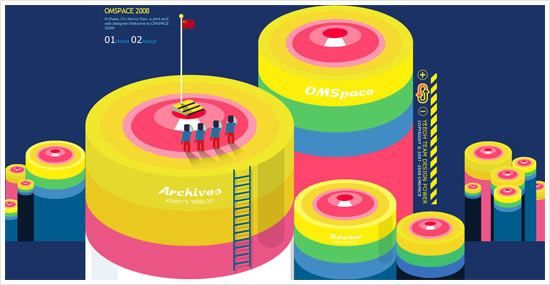
When entering Omspace, a weblog of Kenny Ren, immediately I was attracted by the huge and interesting 3D graphic header. Then, I wonder how to create the 3D Cylinder looking graphic in Illustrator. Well, actually it’s quite simple to achieve and I have plenty of fun too in the process.

To do this tutorial, Adobe Illustrator CS or above is a must, because we need to use the 3D function and if I’m not mistaken only Illustrator version from CS and above support it. Before preceed, please take a look at the preview below on what we are going to do and learn. Besides 3D, we will touch on creating graphic symbols as well as the 3D Map Art function.

01

Symbol 1: Top Surface

First, start off by creating the Top Surface graphic symbol. By using the Ellipse Tool, draw out a perfect circle (press Shift while dragging). Then go to Object > Transform > Scale to open up the Scale windows option. Scale the circle by 80% Uniform and click “Copy”. A new smaller circle is created. Then duplicate it (Crtl-D) several times until you have a total of 6 circles.

After that, by referencing Omspace 3D cylinder, scale and move each of the circle to look as closer as Omspace’s. After that, color each circle with color code shown in the picture below.

02

Looking back at the Omspace 3D cylinder again, there is a white “shine” on the 2nd smallest circle which we are going to create it now. By using the Rectangular Tool, draw out a small rectangular. Then expand the bottom width of the rectangular evenly to left and right.

Place the rectangular on top of the 2nd circle, below the 1st circle. Duplicate the 2nd circle and select it with the rectangular and hit “Divide” on the Pathfinder Palette (Actually, you can use “Intersect” for faster result). Then, ungroup it and delete the unwanted part. Then color the “shine” with white color.

03

Symbol 2: Cylinder Body

The “Top Surface” is finished! Now proceed to “Cylinder Body”. First, select the Rectangular Grid Tool, click on the canvas once to toggle the tool options. Then fill in the options like example shown below. Click “OK” to finish.

04

Ungroup the Rectangular Grid created just now and “Divide” it using the Pathfinder palette. Ungroup it again. Now the grid should become 3 individual rectangulars that placed side by side from top to bottom. Then, color each of the rectangular with color code shown below.

05

Drag “Top Surface” & “Cylinder Body” to Symbols Palette

Finally, two symbols are done. Now, drag them into the Symbols palette. Name them “Top Surface” and “Cylinder Body” respectively. Ok, now the part 1 of the tutorial is now completed. Next, we are going to make the 3D cylinder and map the 2 symbol graphics to it!

06

Creating 3D cylinder and “Map Art”

You can save the document, hide the graphics that created just now and create a new layer to continue. Now, create a circle again with fill gray color only. By selecting the circle created just now, go to Effects > 3D > and select “Extrude & Bevel…”. Fill in the options shown in picture below. After this, click on the “Map Art” button to open up the Map Art window.

07

We are going to map the 2 graphic symbols to this 3D cylinder. In the Surface 1, map it with “Top Surface” symbol. Remember to click “Scale to Fit” and tick “Invisible Geometry”. Skip the Surface 2 and proceed with Surface 3. Map the Surface 3 with “Cylinder Body”. Click the “Scale to Fit” too. Well, you can tick Preview to see the transformation of the 3D cylinder.

08

From the boring gray circle, it becomes an interesting 3D cylinder graphic! I think it looks really close to what’s on Omspace. Well, it’s not finish yet. Duplicate the 3D cylinder to the side as backup. Then select it and click “Expand Appearance” at Object menu. Ungroup it for several times until the Top Surface and Cylinder Body separates.

In this final step, create a rounder rectangular with black fill color and place it at right part of the cylinder. Adjust its transparency to 15% and move it below the Top Surface.

09

Finally finish! Looks how beauty and cute it is. The 3D and Map Art function are really useful and fun to use. You can use it to create many other cool and interesting 3D graphics with different graphic symbols, extrude thickness and many other shapes. Possibility is endless here.

10

End Note
Basically this is the end of this tutorial. Hope you find it useful and have fun experimenting with it. ๐Ÿ˜€ And another thing, I almost exceed the bandwidth allowed last month, so from now on I will host the pictures with Photobucket.

Download Firefox, set World Record

Download Firefox, set World Record

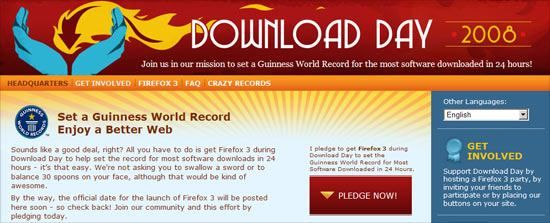
Everyone favorite web browser Firefox is going to launch the 3rd version soon! So, to make it big, Firefox held a campaign to set a Guinness World Record on most downloaded software in 24 hours. Everyone can pledge to download Firefox 3 on the Download Day and be part of the effort to achieve the world record too.

Firefox is my default browser, because it’s a great browser with tonnes of add-ons, customization that will make my web surfing enjoyable and pleasure. Well, if you still using the other browser like the blue “e” icon (aka IE), I think you should try Firefox. You are going to love it.

So, spread the Firefox Download Day, download it on that day, set the World Record and enjoy the better web! ๐Ÿ˜€